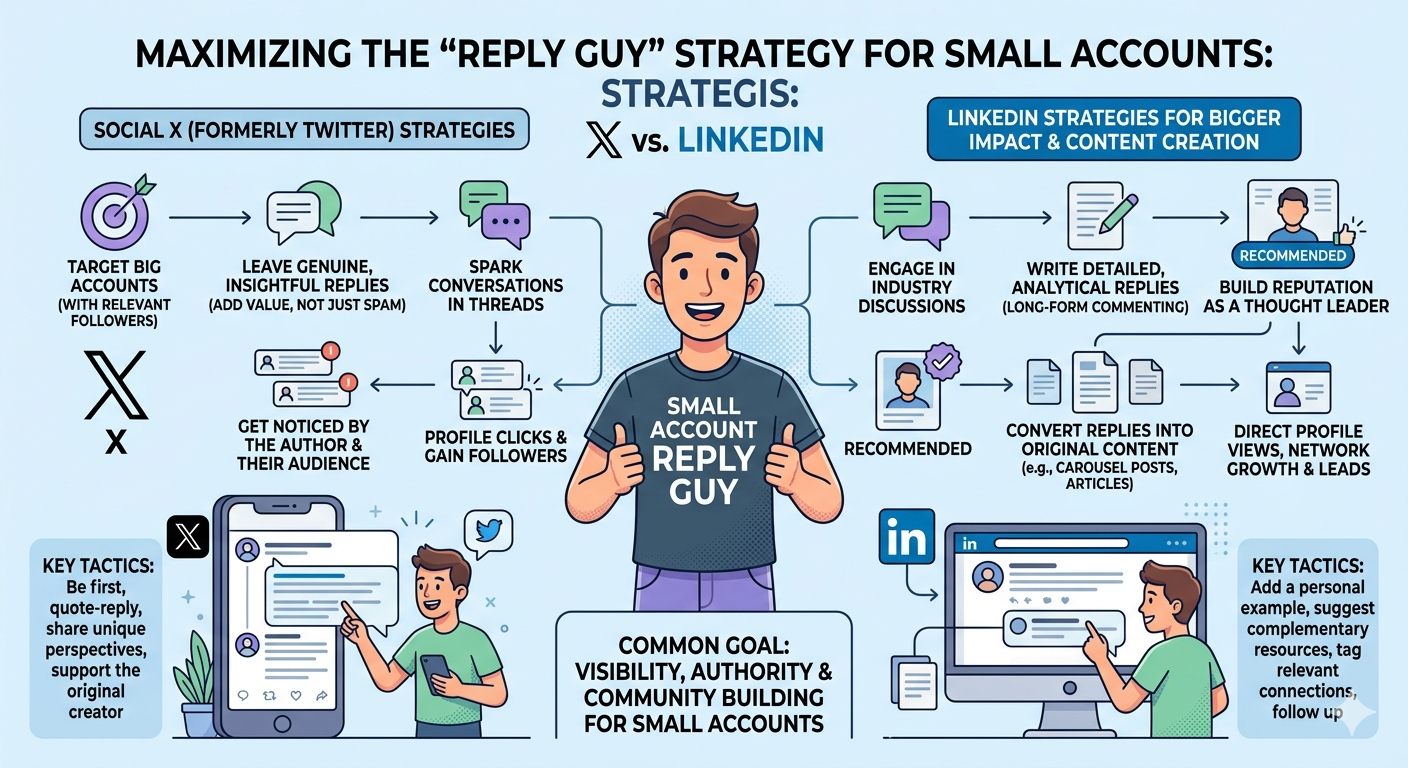
The “Reply Guy” Strategy: How to Go from 0 to 500 Followers on X (Without Being Annoying)

Starting a Twitter (now X) account from zero is lonely. You craft the perfect thread, check your analytics, and see: 3 views. One of them was you. The other two were bots selling crypto.

If you have fewer than 500 followers, posting your own content is arguably a waste of time. The algorithm simply doesn’t trust you yet. The fastest, most reliable way to break out of “shadowban purgatory” is a strategy that’s often mocked but incredibly effective if done right: The Reply Guy.

But we aren’t going to be the “🔥 Great post!” type of Reply Guy. That gets you blocked. We are going to be the “Value-Add” Reply Guy. And we’re going to use that free Gemini API key you just got to do it 10x faster, using a specific workflow that feels human, viral, and authentic.


Why the “Reply Guy” Method Works for Small Accounts

Think of big accounts (100k+ followers) as massive stages. When they tweet, thousands of people are in the audience. By replying early and with high value, you are essentially stepping onto their stage and grabbing the microphone for a few seconds.

If your reply is good, their audience checks your profile. If your bio is decent, they follow. It’s simple math. But the key is Context. You can’t just use a generic AI wrapper that says “I agree with this!” You need to pick a specific point, challenge it, expand on it, or make a joke about it.


The Workflow: “Select, Comment, Generate”

Most AI extensions are lazy. They just read the whole tweet and vomit out a summary. We want precision. We want to select a specific sentence in a viral thread, add our own “spicy” take or direction, and let the AI do the heavy lifting of formatting and tone.

For this specific “Select & Context” workflow, the best free tool right now is NoteViral. It’s a Chrome extension that acts as a browser agent. It lets you bring your own Gemini key (so it’s free and unlimited) and it has a “page aware” context feature.

Step 1: Set Up the “Viral Engine”

  1. Install NoteViral Chrome Extension: Grab it from the Chrome Web Store.
  2. Connect Your Account Open NoteViral, go to settings, and switch the AI provider to Gemini. Paste that free API key we talked about earlier. Now you have a super-fast, free genius in your sidebar.

Step 2: The “Sniper” Selection

Don’t just reply to the main tweet. Scroll down. Find a reply that is getting traction but has a flaw, or find a specific sentence in a long thread that resonates.

Highlight that specific text with your mouse. This tells the AI: “Ignore the noise, focus on THIS.”

Step 3: The “Director’s Note”

This is the secret sauce. Don’t just ask it to “write a reply.” You need to give it a Note or a direction.

Open Harpa and type a command like this (you can save this as a custom command later):

“Reply to this selected text. Be witty and slightly contrarian. Mention that [Insert your unique point here]. Keep it under 280 chars. Lowercase start, casual tone.”

See the difference? You are using the AI as a writer, not a thinker. You provide the thought (the “note”), and it provides the viral packaging.

Step 4: The Viral Edit

The AI will spit out a draft. Do not post it yet. AI loves to use emojis like 🚀 and words like “delve” or “game-changer.” Delete those.

  • Cut the fluff: Remove the first sentence if it’s just repeating the point.
  • Lower the enthusiasm: Make it sound like a bored expert, not an excited intern.
  • Add the Hook: Ensure the first 5 words are punchy.

Example:
Original Tweet: “AI is going to replace all developers in 5 years.”
Your Selection: “replace all developers”
Your Note: “Disagree. It will replace coders, not engineers.”
AI Output: “I respectfully disagree! AI might replace basic coding tasks, but true engineering requires architecture…”
Your Edit: “It’ll replace coders, sure. But engineers? No. Writing code is easy; knowing *what* to write is the hard part.”


The “Golden Ratio” for Growth

To hit that 500-follower mark, you need volume and consistency. Here is the daily diet:

  • 10 Replies to “Giants”: Accounts with 100k+ followers. You are fishing for visibility here. Use the “Select & Comment” method to drop a high-value insight on their top tweets.
  • 5 Replies to “Peers”: Accounts with 500-2k followers. These are your real friends. They will actually reply back and follow you.
  • 0 New Threads: Seriously. Until you have followers, threads are screaming into the void. Save your best ideas for replies.

Summary: The “Reply Guy” strategy isn’t about spamming; it’s about being the most interesting person in the comment section. By using a tool like Harpa with a free Gemini key, you can separate the “thinking” (your job) from the “typing” (the AI’s job), allowing you to drop 20 high-quality comments in the time it usually takes to write two.

Next Step: Want to automate the “Director’s Note” part? I can show you how to set up a predefined “Custom Command” in Harpa so you just click one button to generate a “Witty Disagreement” or a “Supportive expansion” without typing the prompt every time.