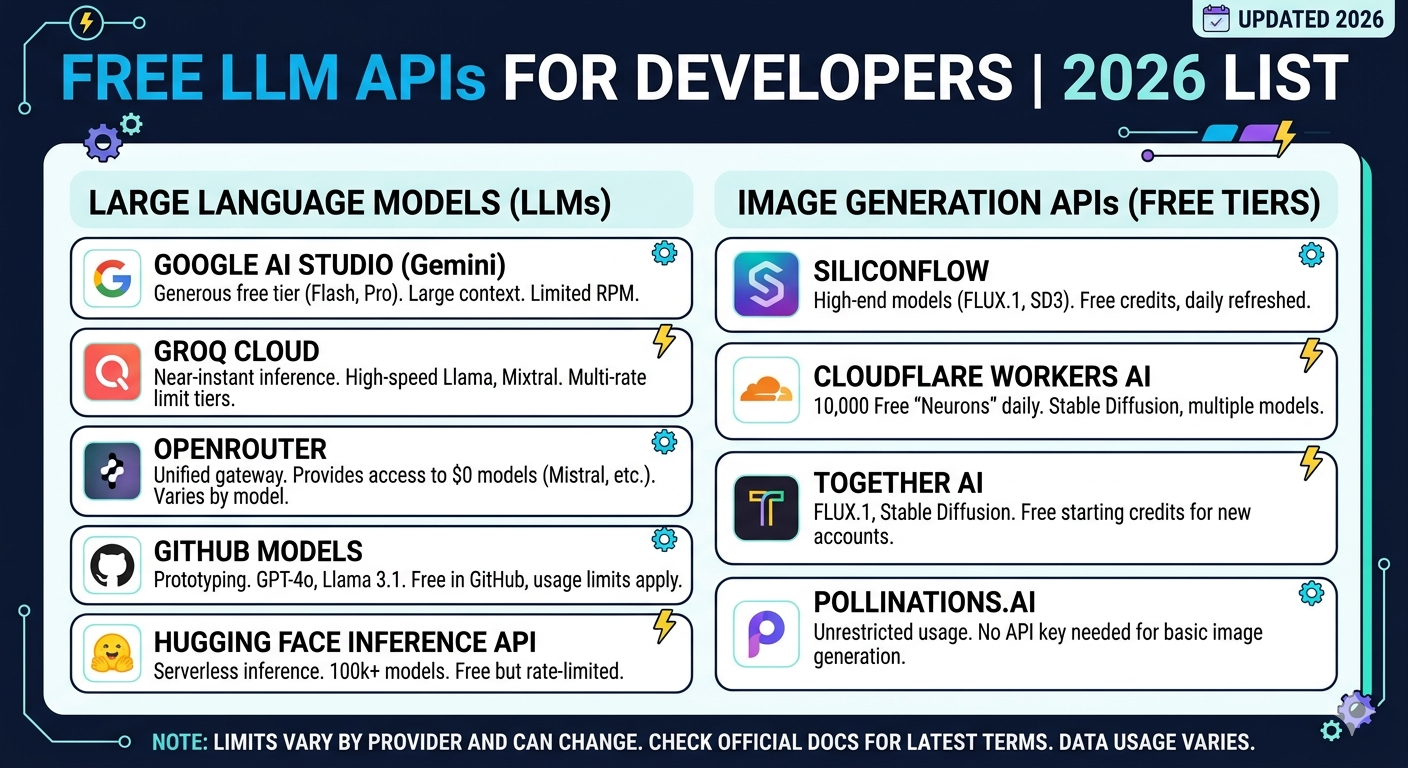
This lists various services that provide free access or credits towards API-based LLM usage.
Free Providers
- Google AI Studio
- OpenRouter
- NVIDIA NIM
- Mistral (La Plateforme)
- Mistral (Codestral)
- HuggingFace Inference Providers
- Vercel AI Gateway
- Cerebras
- Groq
- Together (Free)
- Cohere
- GitHub Models
- Cloudflare Workers AI
- Google Cloud Vertex AI
Providers with trial credits
- Together
- Fireworks
- Baseten
- Nebius
- Novita
- AI21
- Upstage
- NLP Cloud
- Alibaba Cloud (International) Model Studio
- Modal
- Inference.net
- nCompass
- Hyperbolic
- SambaNova Cloud
- Scaleway Generative APIs
Google AI Studio
How to Get Your Free Google Gemini API Key (and What the Catch Is)
Let’s be honest: keeping up with AI subscriptions is starting to feel like paying a second rent. That’s why Google’s approach with Gemini is such a breath of fresh air. Right now, they are offering a genuinely usable free tier for their API, and it’s not just a watered-down trial that expires in a week. Whether you are a developer building a cool side project or just someone who wants to tinker with LLMs without burning your credit card, this is one of the best deals in town.
If you’ve been intimidated by cloud consoles before, don’t worry. Getting the key is surprisingly straightforward. Here is exactly how I did it in about two minutes.
Step-by-Step: Grabbing the Key
You don’t need to navigate the complex Google Cloud Platform (GCP) dashboard just to get started. Google has a dedicated workspace called Google AI Studio that is much friendlier.
- Step 1: Head over to aistudio.google.com. You’ll need to sign in with your standard Google account.
- Step 2: You might be asked to accept some terms of service. Once you’re in, look for the button that says “Get API key” (usually on the top left).
- Step 3: Click “Create API key”. You’ll have two choices: create a key in a new project or an existing Google Cloud project. If you are just testing things out, creating a new project is the fastest route.
- Step 4: Copy that key string immediately and save it somewhere safe (like a
.envfile).
That’s literally it. You can now use that string to make calls to models like Gemini 1.5 Flash or Pro via curl, Python, or Node.js.
The “Catch”: Understanding Free Tier Rate Limits
Here is the part that usually trips people up. “Free” implies some limitations, and with APIs, that limit is usually speed and volume. Google splits its models into two main categories for the free tier, and the limits are drastically different for each.
1. The Fast Model (Gemini 1.5 Flash)
This is the workhorse. It’s incredibly fast and cheap (well, free in this case).
- Requests Per Minute (RPM): 15
- Requests Per Day (RPD): 1,500
- Tokens Per Minute (TPM): 1 Million
My take: 15 requests per minute is actually plenty for building a chatbot prototype, a summarization tool, or a personal assistant. You likely won’t hit this wall unless you are stress-testing your app.
2. The Smart Model (Gemini 1.5 Pro)
This is the “big brain” model, better at complex reasoning and coding tasks. However, the leash is much tighter here.
- Requests Per Minute (RPM): 2
- Requests Per Day (RPD): 50
- Tokens Per Minute (TPM): 32,000
My take: With only 2 requests per minute, you can’t build a real-time user-facing app with the free version of Pro. It’s strictly for testing or very slow, background tasks. If you try to loop through a dataset with this, you will hit a 429 Too Many Requests error almost instantly.
A Critical Privacy Note
There is one final “price” to pay for the free tier: Data Privacy. When you use the free tier (technically called the “Free of Charge” plan), Google reserves the right to use your inputs and outputs to improve their products.
This means you should absolutely not send private user data, sensitive code, or confidential documents through the free API key. If you need privacy (where Google doesn’t train on your data), you have to switch to the “Pay-as-you-go” tier.